MOBZTree
WORK IN PROGRESS
An old idea
[grandpa mode]
One of the first applications I wrote for Windows was called TreeSync. If I remember correctly it was in Delphi (remember Delphi, fellow old people?). Years later in 2011, I tried again and made MOBZync. In the end that worked rally well, but I still wasn't really happy with it. In hindsight it shows its age: everything is single-threaded, the UI looks dated, etc.
But really, isn't that the case with all Windows Forms apps these days? Even Microsoft admits that Windows Forms isn't up to the job anymore, but for the life of me I couldn't get into XAML, or MAUI, or... The most fun I have developing UIs these days is with React. And for the desktop - be it Windows, Mac or Linux - that means Tauri (for me anyway). And Tauri v2 is out, so here goes: an attempt to re-imagine MOBZync as a Tauri app!
[/grandpa mode]
Comparing visually
Why write MOBZync or MOBZTree in the first place? I usually write stuff to solve a problem I encounter myself and this one's no exception. Every now and then I have two directories that are alike but not the same and I want to know the differences between them. It could be a bunch of pictures, or a source tree, but it mostly happens because I make a copy of something and then work in the wrong copy. Or maybe I changed stuff in the right place but want to know what has changed. For source code, Git it usually helpful enough, but sometime I want to know what changed in folder git ignores - or we're dealing with binary files: music, photos, etc.
So how do you visualize the differences between two directory trees? In MOBZync, I used a combination of a tree view with a file list below it. Both directories and files were marked with a colored ball to indicate if they were unchanged, newer, older or added.
I started with the file list (the list of directories and files, i.e. not the tree) because I haven't found a good tree view to use in React yet. I'm sure there is one, but I've always found trees to be cumbersome on the web. To my surprise, the file list alone worked really well, provided it shows the state of directories recursively. By that I mean that a directory is changed if any of the files and directories below it is "not unchanged". See for yourself:
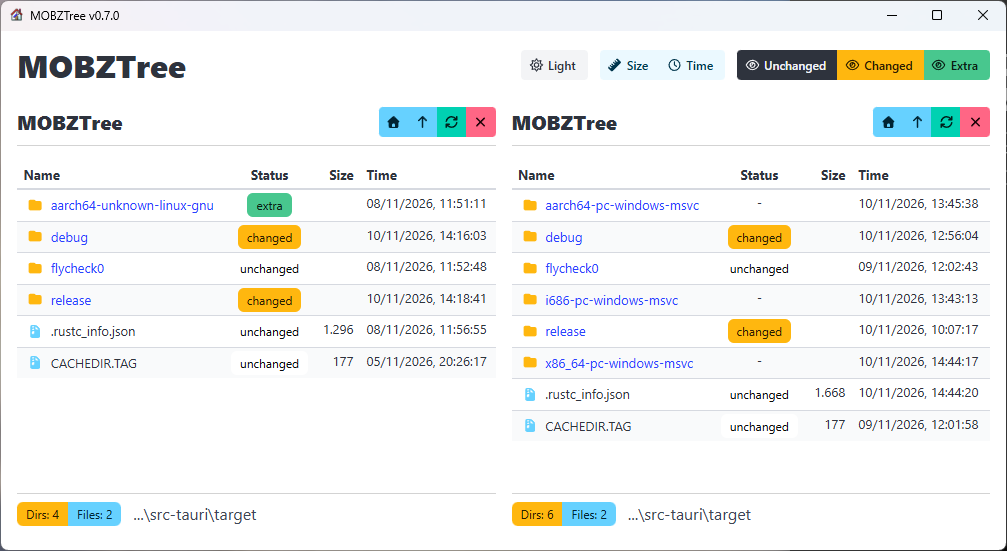
I decided to remove the distinction between older and newer, instead lumping them together as changed. Also, I renamed added to extra (primarily because Robocopy calls it that). This is used for files that exist in one tree but not the other.
So that leaves just three "states": unchanged, changed, and extra. The three large buttons at the top right determine which directories and files are shown.
What is "changed"?
Which brings me to a more philosophical question: what is a change? When talking about files, the obvious answer is that the contents of a file have changed. (Or it was deleted or added, but that's not really change). Comparing files is slow so that's not really a good idea. We could hash every file read, but for large trees that would be a humongous operation. MOBZync originally used the time stamp of the two files to determine which was older or newer. That caused trouble on volumes that didn't keep good timestamps and, believe it or not, Windows 95 kept a time tamp with a two second resolution. Not a problem if both trees are on a FAT filesystem, but inconvenient if one is on NTFS, for example. And when comparing source trees, file stamps often are irrelevant because a git checkout will touch every file, making its modified-time the time of checkout.
When the time stamp is unreliable, the other fast check we can do is the file size. MOBZTree allows you to choose: the two buttons for Size and Time determine whether the file size and or the file's modification time are taken into account when determining whether files are "changed".
Dark mode!
The other button chooses the application's theme. Tauri v2 supports dark and light mode. MOBZTree will start off in the theme the user has chosen, but you can change it here.
Work flow
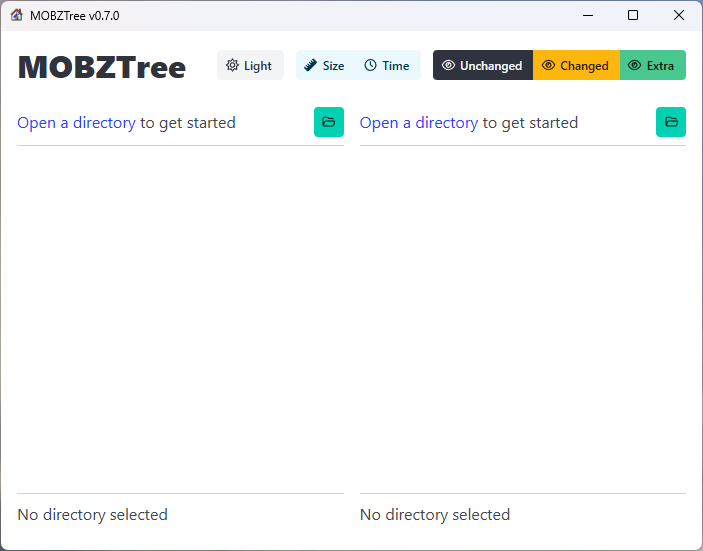
The rest of the application is fairly straighforward. On startup, both lists are empty and the green button opens a directory:
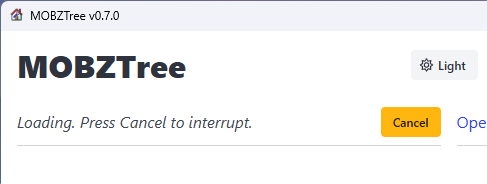
Loading can be cancelled:
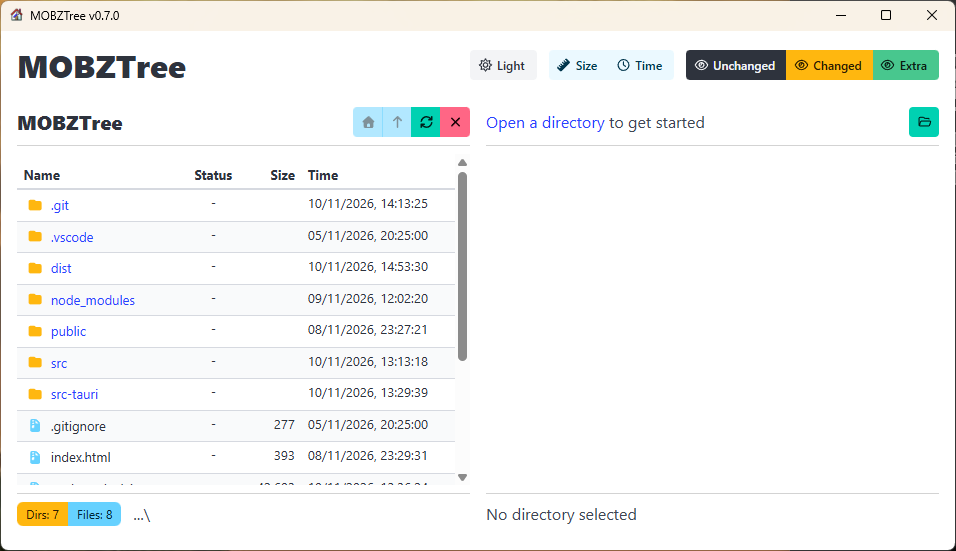
When only one directory was loaded, the Status column stays empty:
As soon as two directory trees have been opened, they will automatically be compared and the Status column filled. Selecting different states to show or hide on the top right, or clicking Size or Time refreshes the list immediately (yay React!).
Keeping the lists in sync
When investigating the differences between the trees, you can click on a directory name and it will open. (The four buttons allow you to go Home to the top of the tree or one level up.) When that same directory exists in the other tree, it will automatically be shown. This works in both trees. That way, clicking through the hierarchy is quick and easy.
Command line
You can pass the paths of one or two directories on the command line:
MOBZTree c:\src\some-path d:\backup\other-path
This will open both directories and compare them, The paths may be relative to the current directory, e.g. ../src or even ~/src.
TO DO
MOBZync has a right-click menu that allows you to perform other actions. MOBZTree is supposed to be platform independent (it works on Windows and Linux, and a Mac version is in the making), so those operations have to be platform independent, too. Right now, MOBZTree just has read access to the file system so it can't move or delete files, and maybe it should stay that way. I would like to add some kind of report detailing the differences. Maybe something you can paste into Powershell or Bash to copy a selection of files over from one tree to the other. As I said: Work in Progress.
Update checks
And MOBZTree checks for updates on startup.
Download MOBZTree
Happy with this tool? Consider buying us a cup of coffee