MOBZPing
MOBZPing provides a graphical display of the status of a number of hosts simultaneously. It does so by pinging these hosts every few seconds, each on a separate thread. The results can be browsed at a number of detail levels.
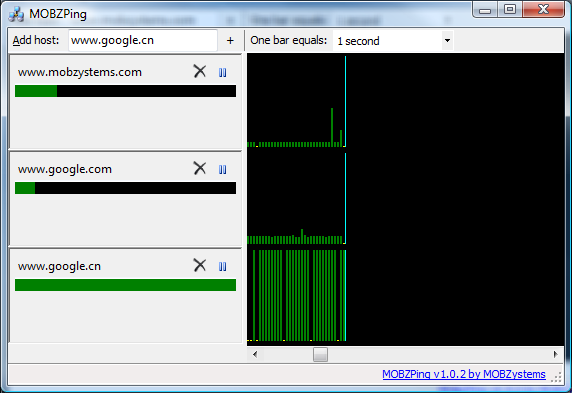
A graphical status display for multiple hosts
The green bars in the graph on the right hand side indicate successful pings. The height of the bars represent response times. Red bars indicate a time-out; yellow dots indicate no response. TIP: Hover the mouse over a bar to get detailed information at the bottom of the screen.
The bars below the host names on the left provide the current status of the hosts at a glance. Red bars mean time-outs, green bars indicate response times. The shorter the bar, the better.
Managing the list of hosts is simple. Type the name of a host to add in the top left hand textbox, then press Enter to add it to the bottom of the list. Remove a host by clicking the delete button next to the host name. If a host has become temporarily unimportant (or you grow tired of the continuously red area in the graph), simply pause it using the pause button. The list of hosts is automatically saved in the user's roaming profile.
When MOBZPing is minimized, it settles itself as an icon at the bottom right of the screen. When the icon is a red flag, one or more hosts are off line. A green flag indicates that all hosts are on line; a blue flag signifies that all hosts are on line, but that some are paused. Additionally, MOBZPing displays balloon messages when the status of a host changes:
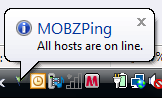
MOBZPing in the Task Bar
Double-click on the icon to open the main MOBZPing window again; right-click the icon to display a menu.
Download MOBZPing
Happy with this tool? Consider buying us a cup of coffee