MOBZHunt
NOTICE: MOBZHunt has been superseded by MOBZize, which has different features but runs on .NET 6, without any dependencies on frameworks etc. It's also 64-bit only. If you have a 64-bit Windows 10 or higher, MOBZize is recommended over MOBZHunt.
MOBZHunt, the successor of DXHogHunt, helps you figure out where all the free space on your hard disk went. It's extremely simple to use: select a folder at the top, press the Open button and wait for MOBZHunt to do its thing. When done (you can press Cancel at any time) you will see a list of files and folders, each displaying the amount of space they occupy, including all subfolders. By clicking on the column headers in the right hand list, you can sort on name, size or date, which shows you at a glance which folders are disk hogs:
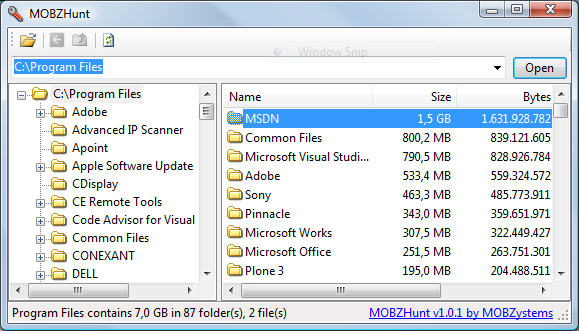
The MOBZHunt Main Screen
After installation, right-clicking on a folder will show an option to start MOBZHunt on that folder:
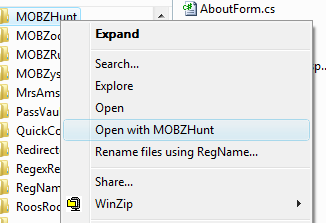
The MOBZHunt Folder Menu
To help you get rid of disk hogs, you can right-click files and folders in MOBZHunt to recycle or delete them, open them or show them in Explorer:
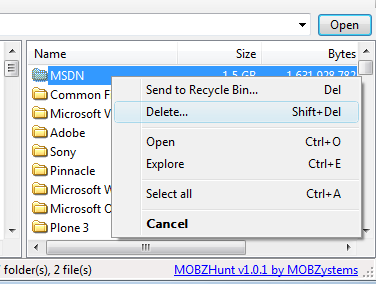
Right-clicking a file or folder in MOBZHunt
Download MOBZHunt
Happy with this tool? Consider buying us a cup of coffee